
Everything Arcadeados offers
A huge library of classic video games with the emulators already built in: add your games and start playing. Here's everything it includes, no small print.
The great library of classic gaming
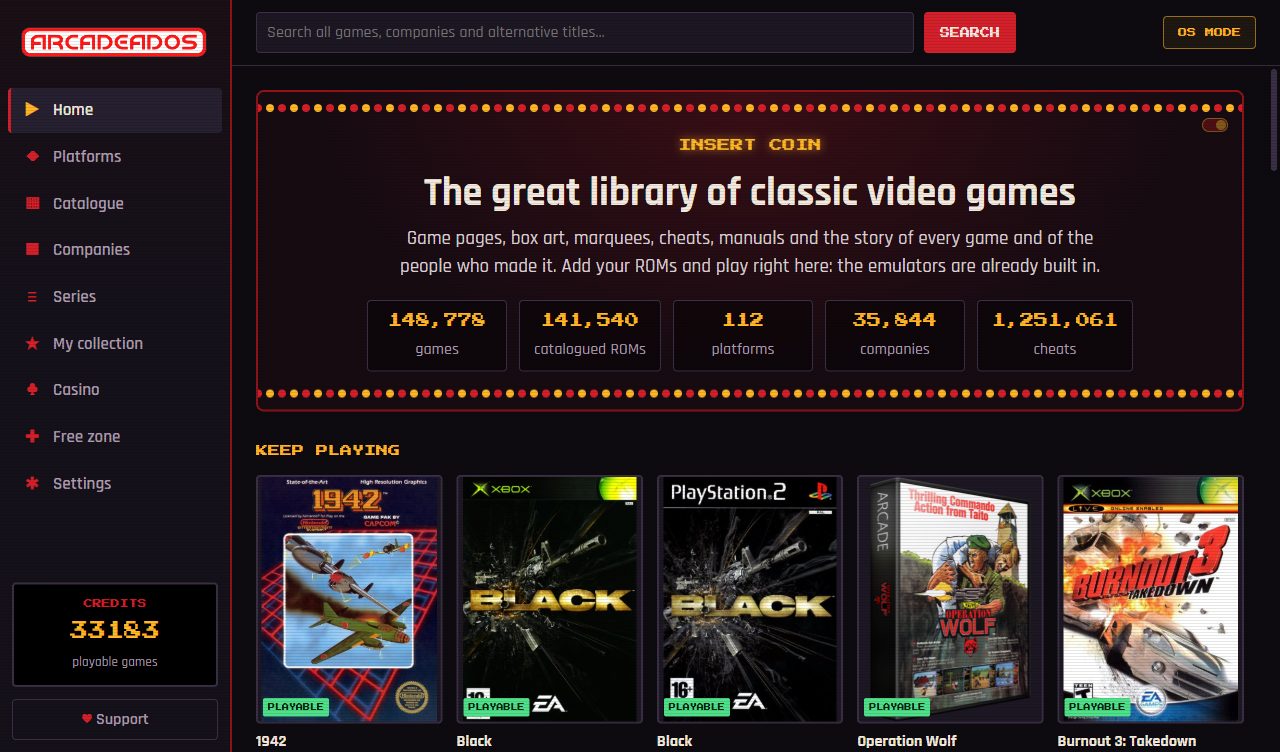
Nearly 150,000 games from over 100 systems, from the Atari 2600 to the Switch, each with its full page even before you have the ROM.
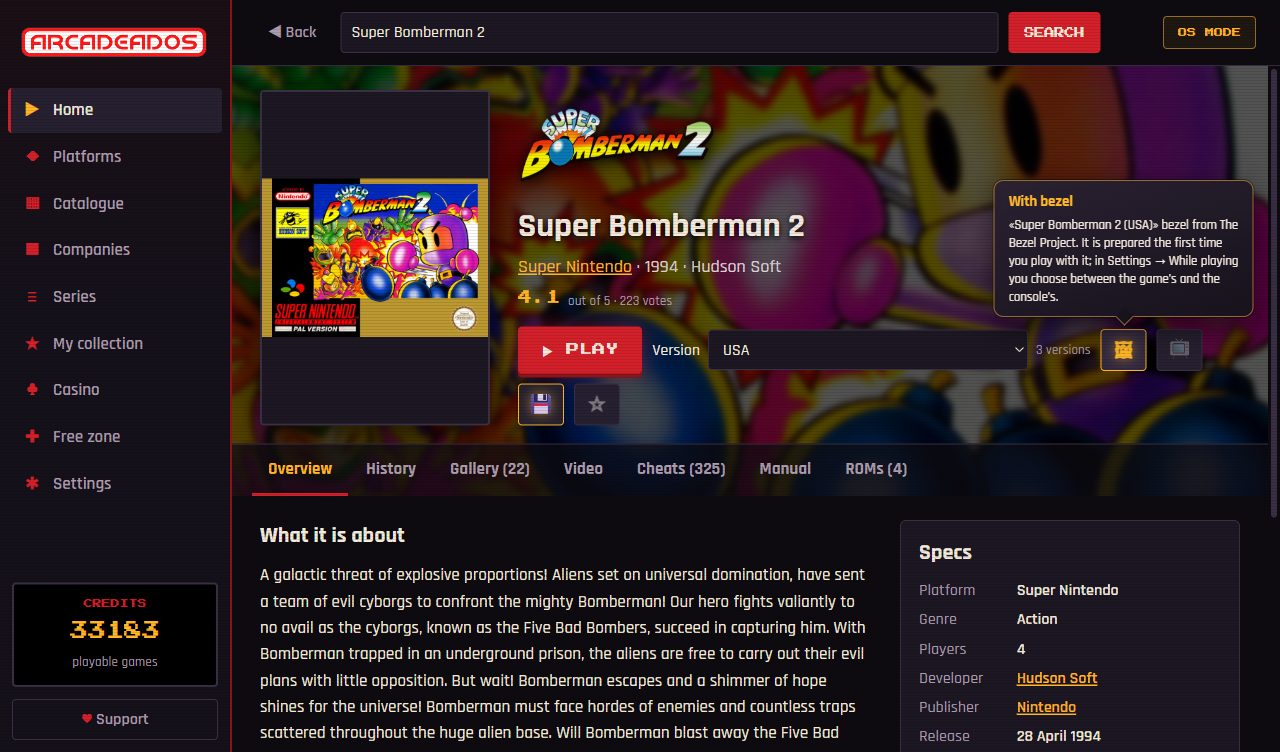
- Complete game pages: box art, screenshots, marquees, video, summary, tech specs, history, manual and cheats.
- Companies and series: the story of who made each game and every game in each series.
- No page without a cover: if the box is missing, the next best image is used, or Arcadeados draws one with the title and the console.
- Free zone: 374 games you can download legally, each from its author’s website: arcade games MAMEdev shares with permission and free-licensed homebrew for NES, Game Boy, Mega Drive, Spectrum, PICO-8, WASM-4 and more, with cover, author and license.
Find any game in an instant
Search by title, company or alternative name, with filters that are remembered when you close the program.
- Filters: platform, genre, players, era and sort order, plus “Playable only”, “Favourites” and “ROMs without a page”.
- Platforms by maker: Nintendo, Sega, Sony… grouped into arcade, consoles, handhelds and computers, or only the ones where you have games to play.
- Pick your version: each game brings together its regions, revisions, translations and hacks, best first, and “Play” opens the one for your preferred region.
- Going back leaves everything as it was: the platform, the filters, the page and even how far you'd scrolled.
Your collection, organised for you
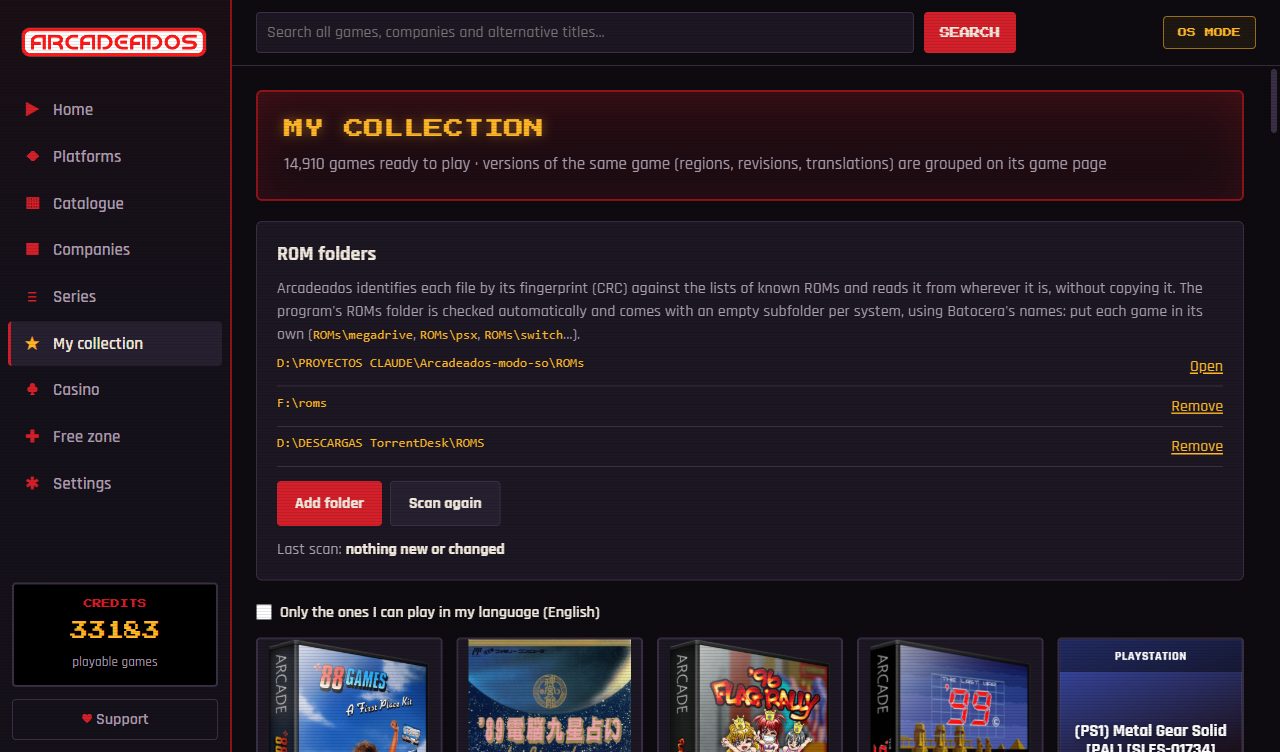
Point Arcadeados at your ROM folders and it recognises each game by its fingerprint, its name or the folder it's in.
- Knows what you have: by fingerprint, even inside .7z files, and with EmulationStation and Batocera folder names.
- Drag and play: drop a file onto the game page, from a folder or your browser downloads, and it goes to its system's folder.
- Hacks, betas and translations get their own page, and “No page” covers everything that isn't in the catalogue.
- Duplicates gone: finds the same file repeated and sends the spare copies to the Recycle Bin, after asking you.
- External drives: a disconnected drive keeps its games, and large games on a slow drive are copied the first time so they play without stutter.
Play it like back in the day
The emulators come built in, chosen and tested for each system. Just press “Play” and you're away.
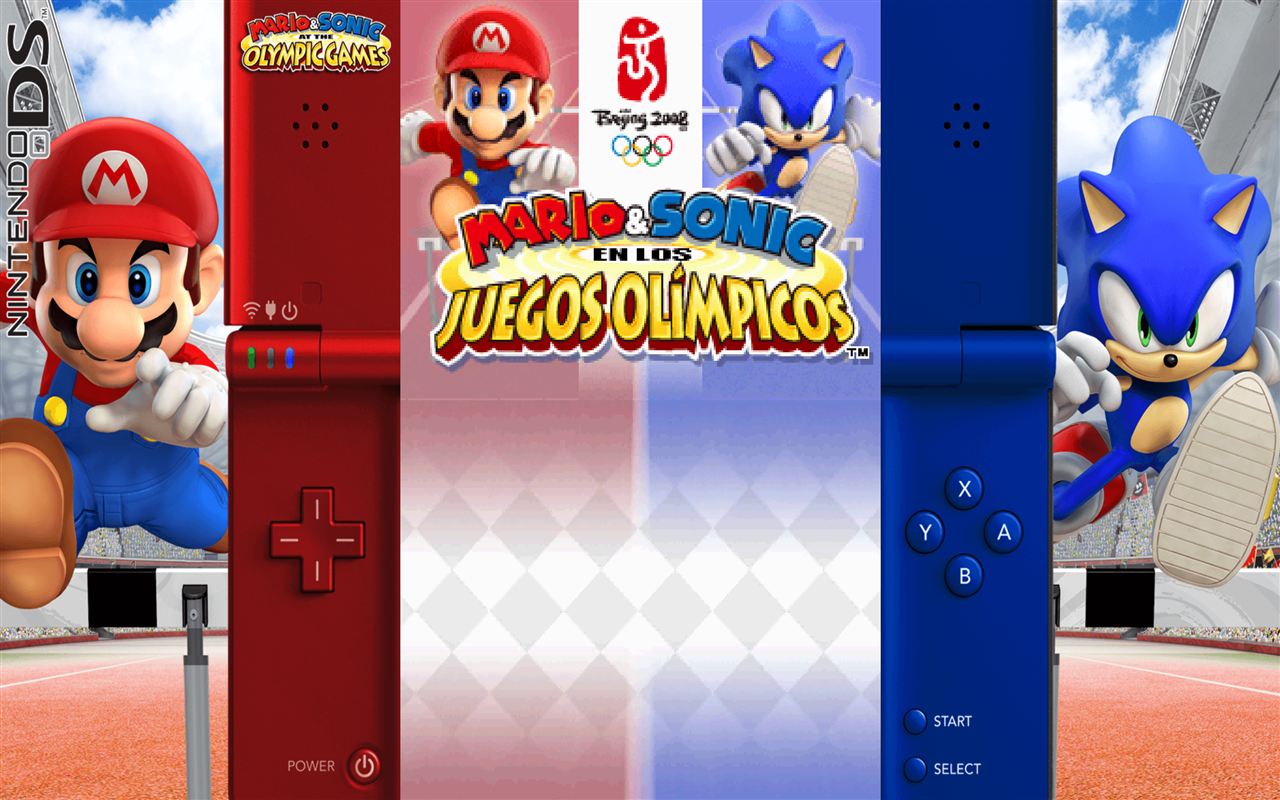
- Bezels: the game framed by the artwork from its cabinet or box, one drawn by Arcadeados, or its console's.
- Retro effect: a CRT TV with scanlines and phosphor glow for consoles and arcade, and an LCD screen for handhelds.
- Save on exit: pick up right where you left off, and in-game saves are written every minute.
- Cheats you switch on as you play, and the monitor of your choice if you have more than one.
Trucoteca: the classic tricks
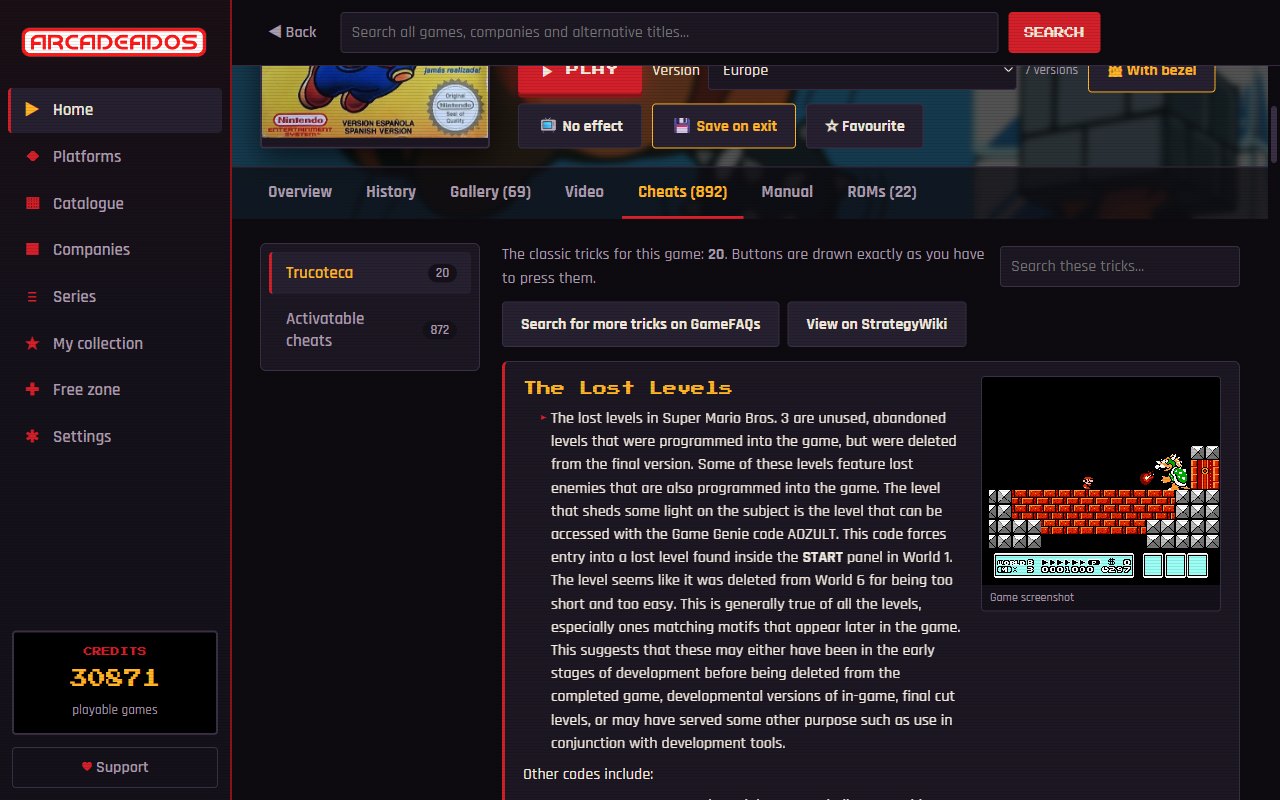
Button combos, passwords, secret levels and guides for hundreds of classics, on every game page and in the middle of a game too.
- Buttons drawn: the d-pad with the arrow lit, △○✕□ on PlayStation, the N64 C buttons… exactly as you press them.
- When, where and what you get, with its screenshot or one from the game itself.
- In the middle of a game: the in-game menu opens the tricks on top, with the game paused.
- Free, credited source: StrategyWiki, CC BY-SA 4.0, stored in the program and translated into your language, offline too. To look for more, links to GameFAQs and StrategyWiki.
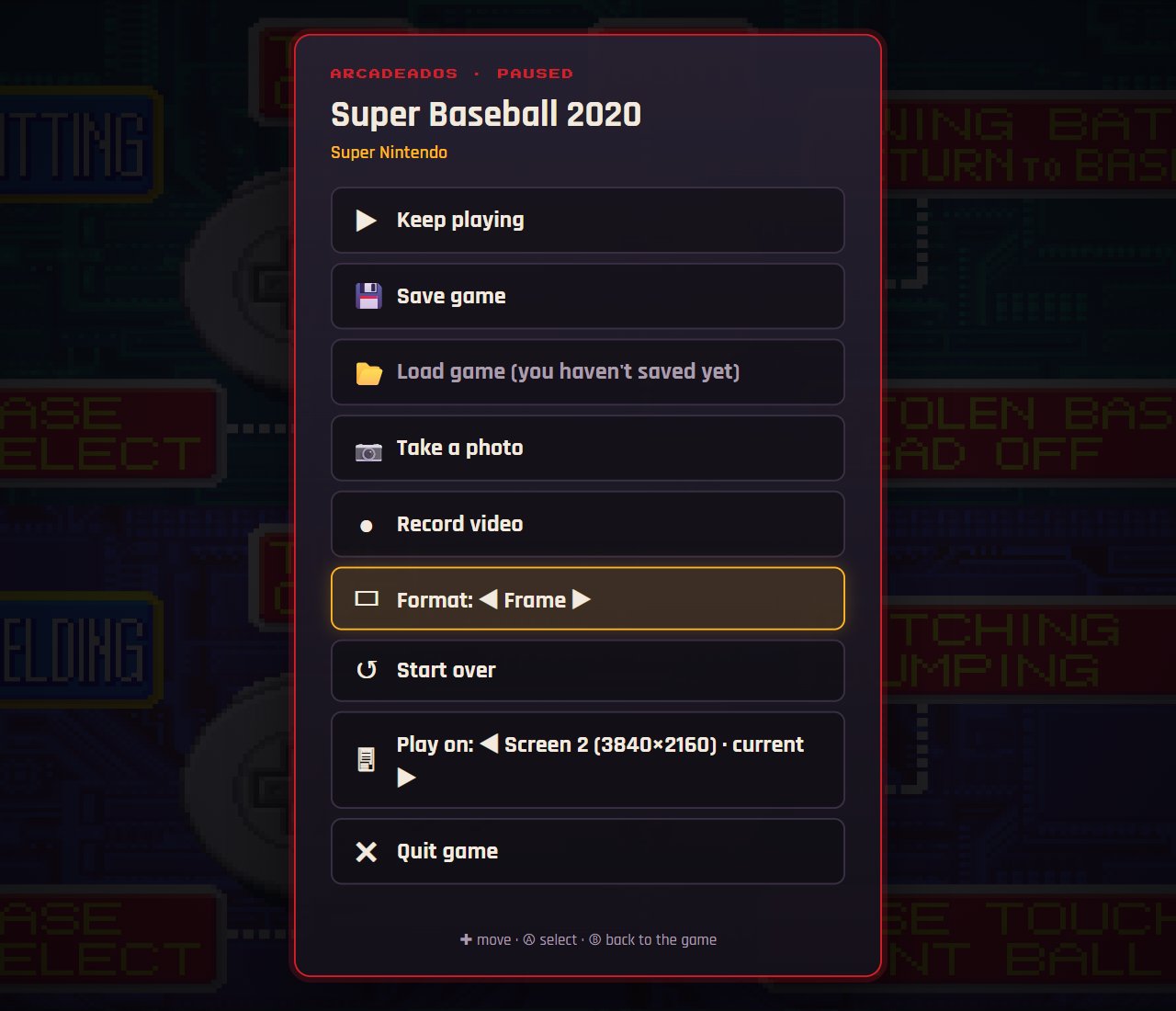
Its own menu, mid-game
Open it with the controller's centre button, with Select + Start or with F1, no keyboard needed.
- Save and load your game at the exact moment, or start over.
- Take a snapshot of the game screen and record video with sound, to the folders you choose.
- Switch screens instantly if you have more than one monitor, and quit the game.
- Always fits on the monitor, whatever its resolution and scaling.
- Maximum performance while playing: the most powerful power plan, high priority and the dedicated graphics card only while you play; when you quit, everything as it was.
- European games at 50 Hz without stutter: the screen switches to 50 Hz if it supports it and goes back to its own rate when you finish.
- With bezel, no bezel or mixed: the game with artwork around it, full screen (in 16:9 if it supports widescreen) or each one the way it suits it best.
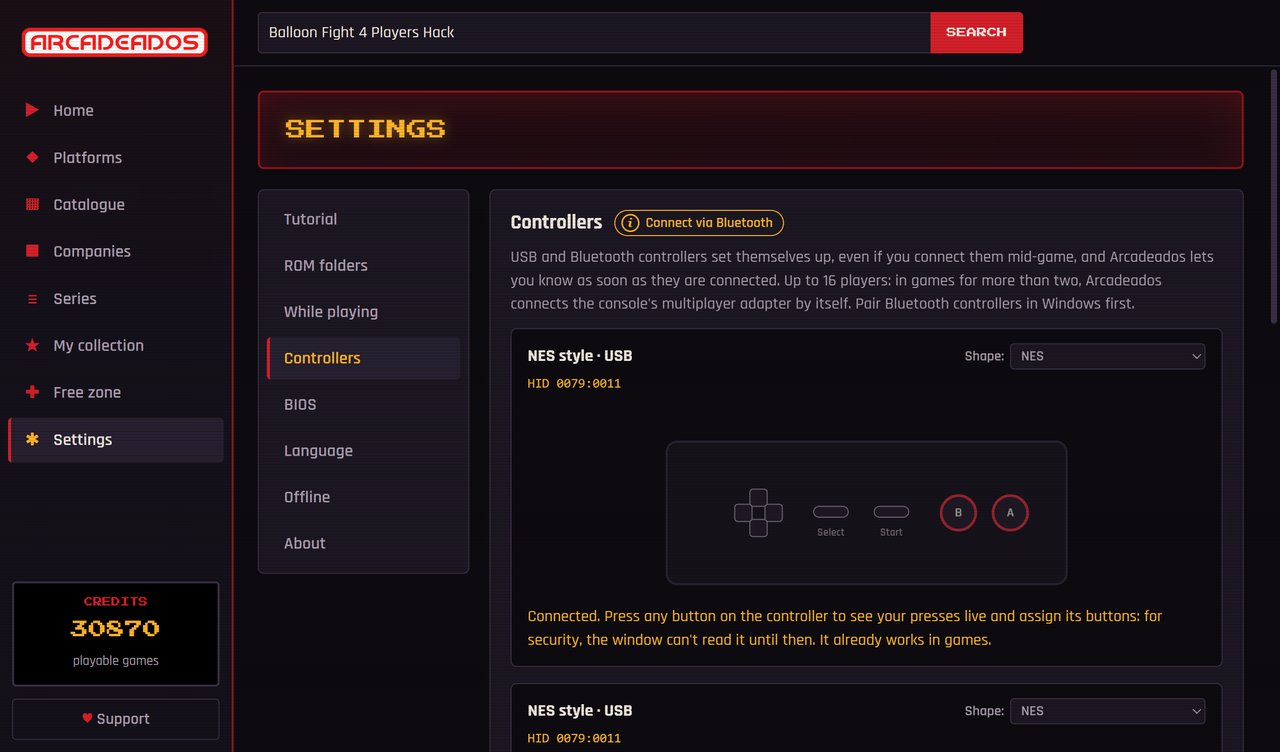
Controllers with zero setup
USB and Bluetooth, with over 800 recognised models and a notice whenever one is connected or removed.
- Up to 16 players: in games for more than two, the console's multiplayer adapter is plugged in automatically.
- Every controller drawn to match its type, with button presses shown live, and you remap any button just by pressing the one you want.
- Rumble in games that had it, with Rumble Pak on Nintendo 64 and DualShock on PlayStation. Turn it off with a single checkbox.
- A is A: in Nintendo games, Xbox and PlayStation controllers use the buttons by their printed name.
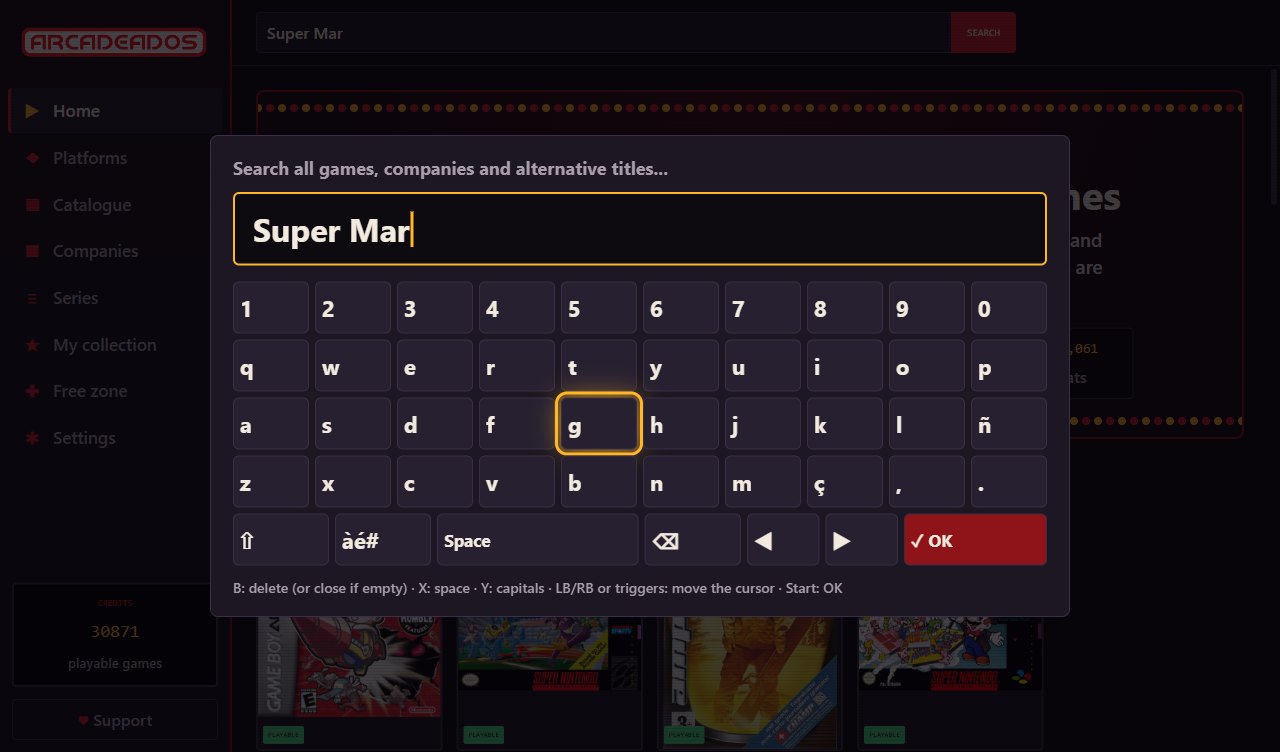
All of Arcadeados, from the sofa
Use the whole thing with a controller, just like a console menu.
- D-pad or stick to move around covers, game pages, filters and Settings: A opens and B goes back.
- On-screen keyboard to search with the controller, with accents and console-style shortcuts.
- Mouse and keyboard work as before, and nothing moves while you're playing.
OS mode: Arcadeados as a console
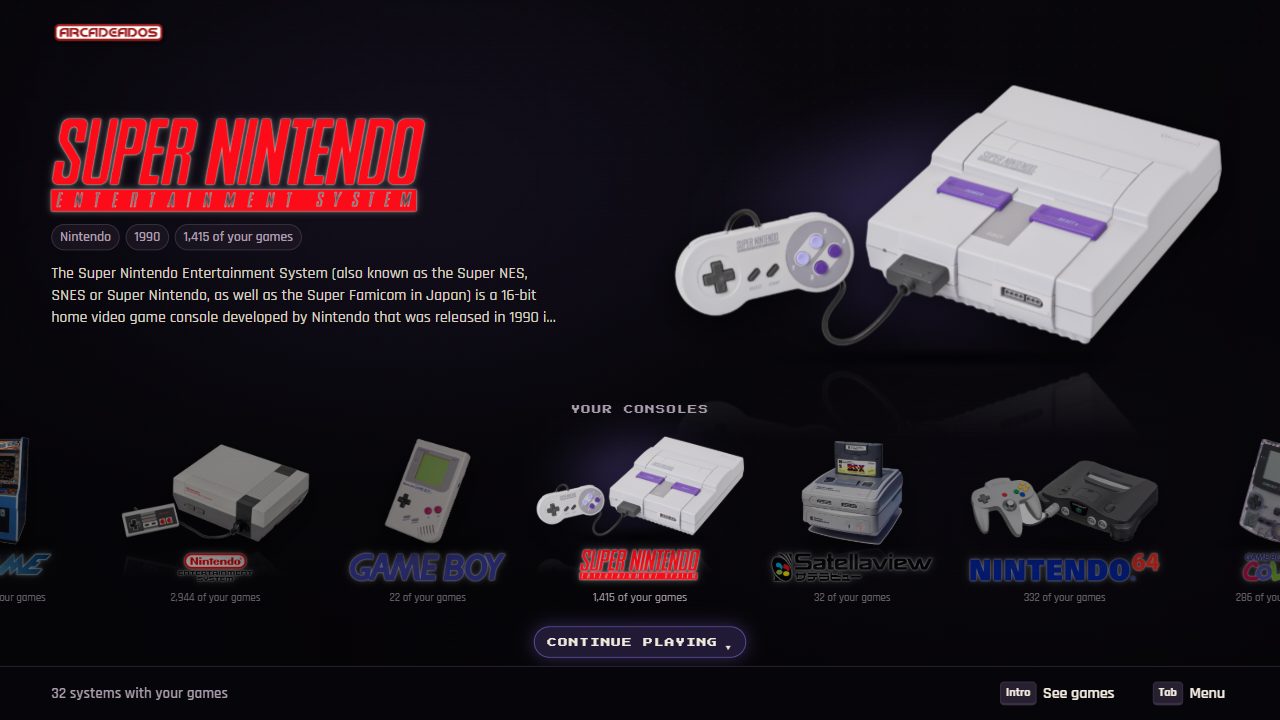
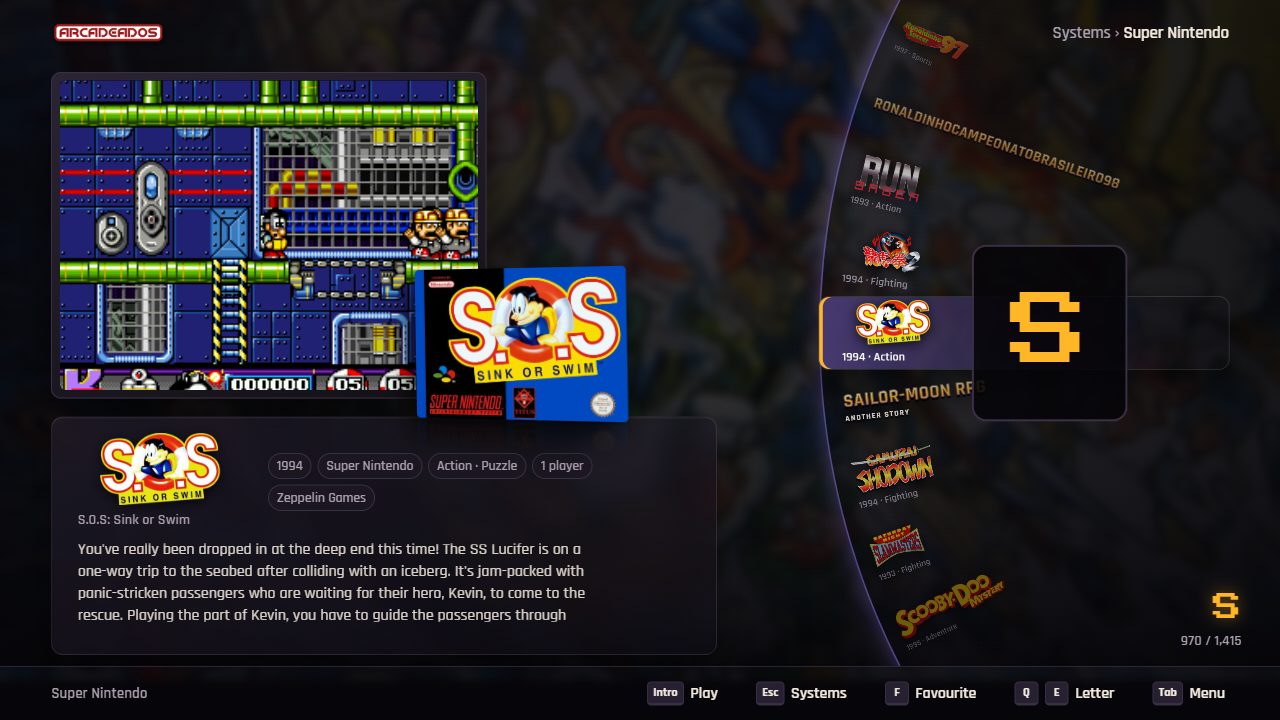
Full screen and made just for the controller, like the system of a console or an arcade cabinet.
- Two themes: Carousel, with your consoles, what you played last and your favourites in rows; or Wheel, the vertical wheel of arcade cabinets.
- Your consoles by type or by maker: Nintendo’s together, from least to most powerful, then Sega’s, and so on with all of them.
- Sounds and music your way: nine sound sets and nine original background tunes, with their own volume. The music never plays during a game.
- Games by series: each series together, in release order from first to last.
- Every console with its photo without background and its logo, and every game with its title as a picture and its video looping.
- The bottom bar always shows what each button does, with the icons of your controller (Xbox, PlayStation or Nintendo) or the keys.
- Start straight into it and, from its menu, shut down or restart the computer: ready for an arcade cabinet.
- With two screens, its menu moves OS mode to the other one, and games open there.
Ready for your arcade cabinet
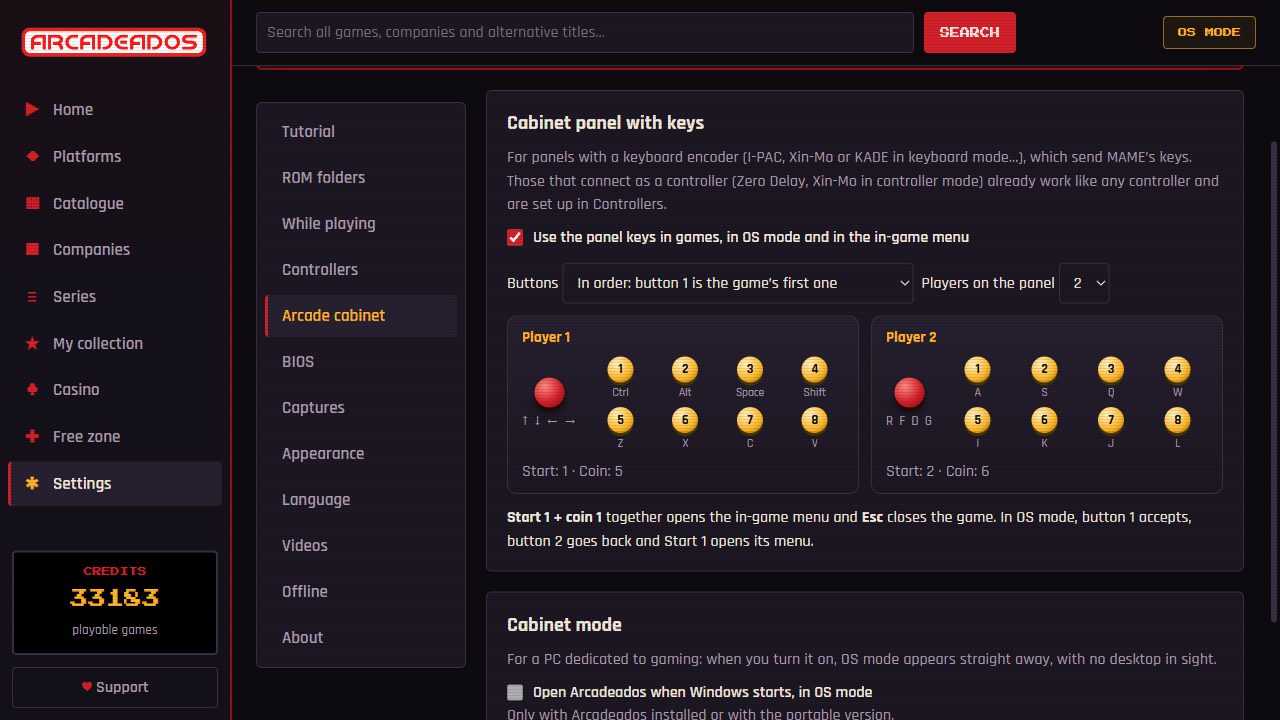
Panels with joysticks and buttons, and a PC that boots straight into OS mode.
- Key-based panels (I-PAC and similar): MAME’s keys for 2 or 4 players, with Start and coin, and a drawing of the panel with each button’s key.
- Buttons in order or like Street Fighter, without the emulator’s keyboard shortcuts that would be pressed while playing.
- Start 1 + coin opens the in-game menu, and OS mode is fully driven with the joystick and buttons.
- Cabinet mode: it opens in OS mode when Windows starts and can be locked so it only lets you shut down or restart.
- Light guns and trackball: the gun connects automatically in light-gun classics (Zapper, Super Scope, GunCon, Menacer…) and arcade games; trackball and spinner, in MAME and FBNeo.
- Vertical screen and Pandora Box: OS mode rearranges itself on a rotated monitor, and a Pandora Box over USB works as a controller: Settings → Controllers recognises it.
- Guns your way: each gun’s mouse, the crosshair, off-screen reload, the Sinden white border and a test screen with targets to calibrate.
- CRT television: with CRT SwitchRes, each game shows at its original resolution and refresh rate on a CRT TV or monitor.
BIOS without the headaches
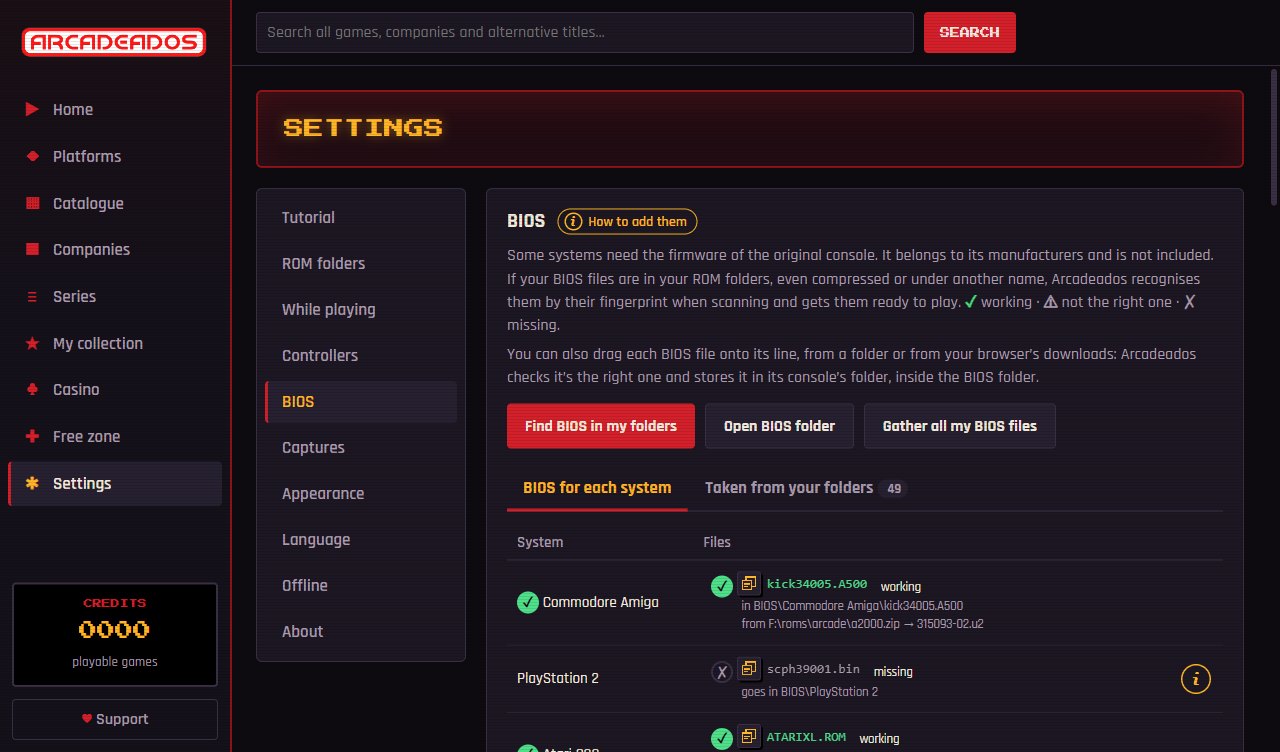
Arcadeados doesn't include any BIOS: you provide the ones from your consoles and it takes care of the rest.
- Finds them on its own in your folders, even inside .zip and .7z files and under any name, and recognises them by fingerprint.
- Drag it onto its row, from a folder or your browser downloads, and it's installed.
- Sorted by console, with an icon showing whether it works, is a different revision or is missing.
- ⓘ help for each system, with the exact file name to copy and links to the official guides.
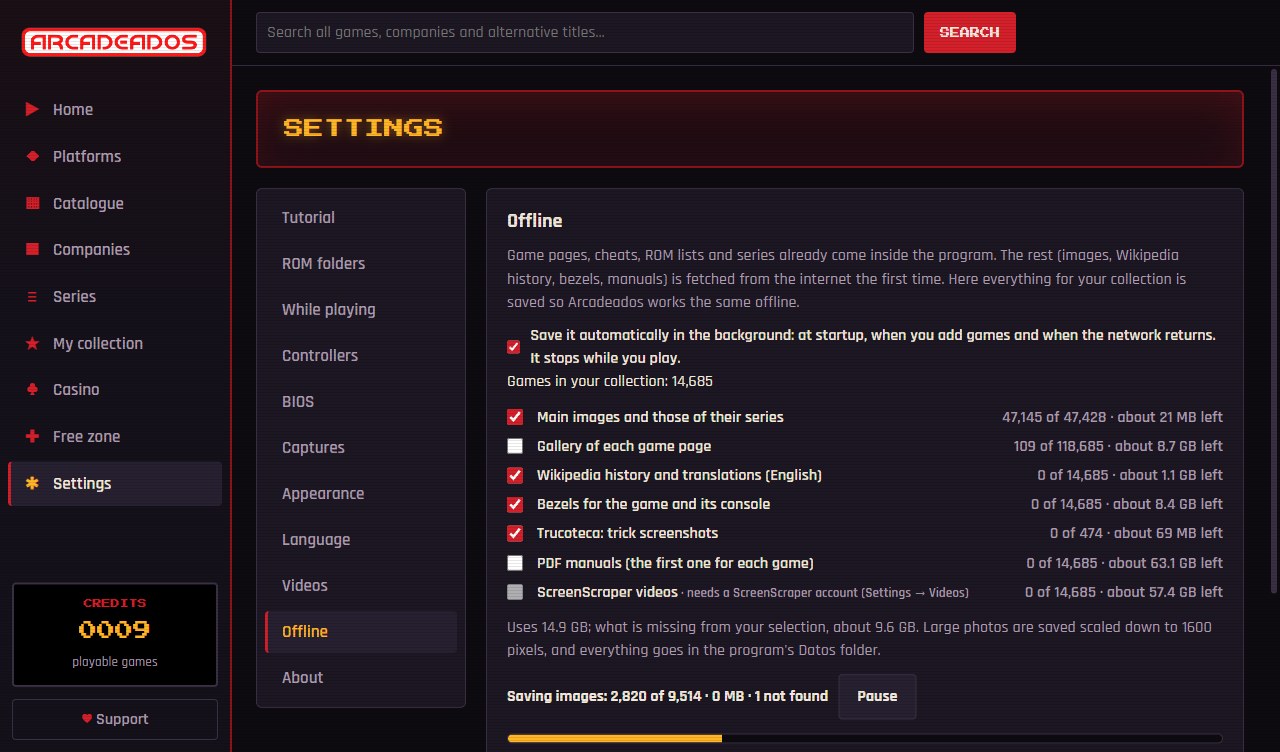
All of Arcadeados, offline too
Game pages, cheats and series already come inside. Everything else for your collection is saved by itself in the background, so it all works the same offline.
- Everything on each game page: images and gallery, translated Wikipedia history, in-game bezels and manuals.
- No waiting or broken images: anything not saved is drawn or explained, and comes back by itself with the network.
- It stops while you play and can be paused, showing the size before it starts.
In your language
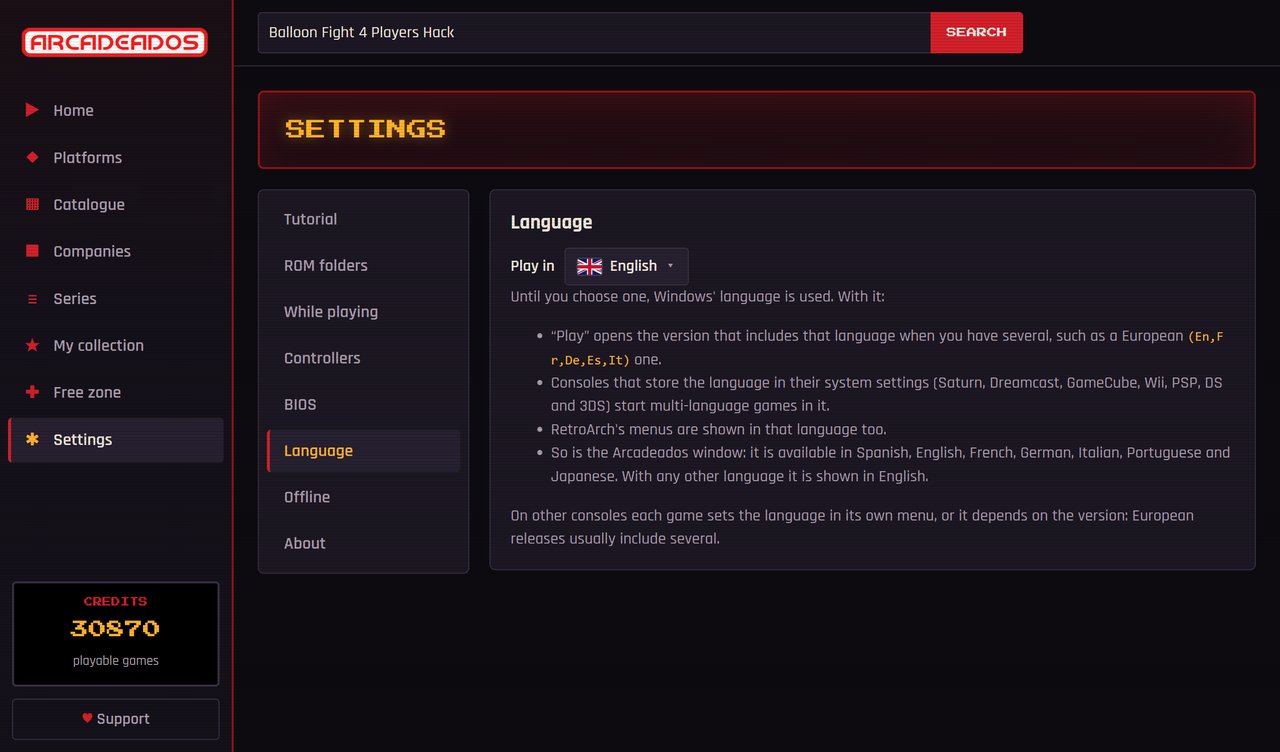
Spanish, English, French, German, Italian, Portuguese and Japanese. The installer already comes in the language of your download.
- Play in your language: “Play” opens the version of the game that includes it.
- Consoles with a system language, such as Saturn, Dreamcast, GameCube, Wii, PSP, DS or 3DS: multi-language games start in yours.
- Switch instantly, no restart needed.
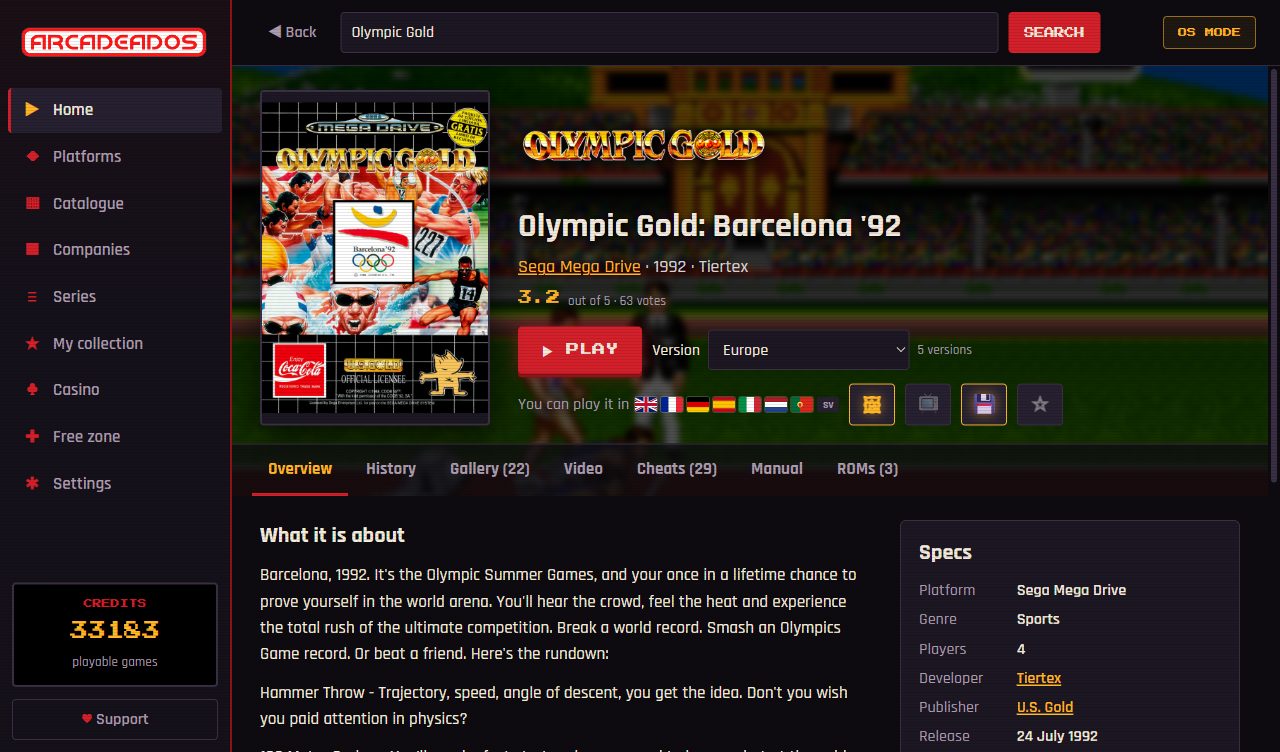
- Flags on every game: the game page tells you which languages you can play it in with your ROMs, from their name, their region or their official name in the catalogue; fan translations shown apart.
- “Only the ones I can play in my language” in My collection: the languages of all your ROMs are worked out by themselves, in the background.
On Linux too
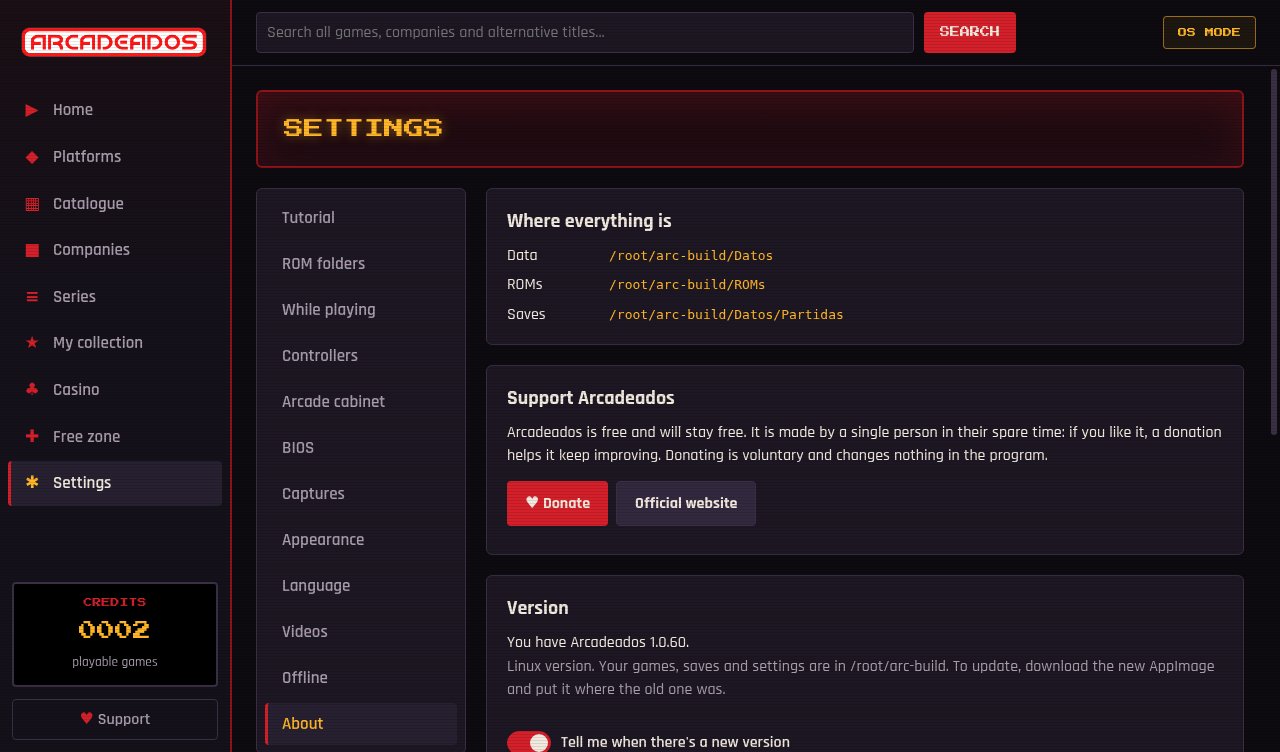
An AppImage that opens without installing on almost any 64-bit distribution, and a .deb package for Debian, Ubuntu and Mint, with the same emulators as on Windows.
- The same library: ROM scanning, BIOS, bezels, cheats, OS mode and the in-game menu with a controller.
- Your data next to it: beside the AppImage or in `~/.local/share/Arcadeados`.
- What isn’t there yet, like Switch or the CRT TV, appears turned off and explained.
Requirements
It depends on what you play: arcade games and 8, 16 and 32-bit consoles run on almost any PC; PlayStation 2, GameCube, Wii, Xbox, 3DS and Switch need a more modern computer.
| MinimumArcade and consoles up to 32 bits | RecommendedPS2, GameCube, Wii, Xbox, 3DS and Switch | |
|---|---|---|
| System | Windows 10 or 11, 64-bit or 64-bit Linux | Windows 11, 64-bit or a current 64-bit Linux |
| Processor | Any 64-bit CPU from the last 10 years | 6 cores with AVX2: Intel Core i5-11400 or AMD Ryzen 5 3600 |
| Memory | 4 GB | 16 GB |
| Graphics | Integrated, with OpenGL 3.3 or Vulkan | Dedicated, with Vulkan and 4 GB or more: GeForce GTX 1660 or Radeon RX 5500 |
| Disk | 2.5 GB, plus whatever is saved as you use it | An SSD for the heavier games |
| Controller | Optional: keyboard and mouse work too | Any USB or Bluetooth controller |
| Internet | Only to download images and texts the first time; after that, it works offline | — |
- The download is about 730 MB and, once installed, it takes up about 2.5 GB: emulators (1.8 GB), catalogue (0.3 GB) and program (0.4 GB).
- There is also a portable version (.zip, about 1.1 GB) to carry Arcadeados on a USB stick without installing it: it keeps everything in its folder. Use NTFS or exFAT, because FAT32 does not allow files over 4 GB.
- On Linux: an AppImage of about 1 GB that opens without installing (or a .deb package for Debian, Ubuntu and Mint). It keeps your data next to it or in ~/.local/share/Arcadeados.
- The Datos folder grows as you use it: saved images, your BIOS, saves, screenshots and videos, and heavy games on a slow disk, which are copied once so they play without stuttering.
- Your ROMs don't count: Arcadeados doesn't copy them, it just points to the folder where you already keep them.
- For Switch, the minimum is an Intel Core i5-4430 or AMD Ryzen 3 1200, 8 GB of memory and a 4 GB GeForce GTX 1050 or Radeon RX 550.
Free, open source and nothing to unlock
Arcadeados is free software under the GPL-3.0 licence. Everyone gets the same download and, if you like it, you can support it with a voluntary donation.